


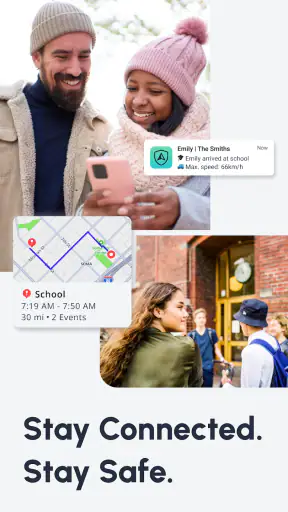
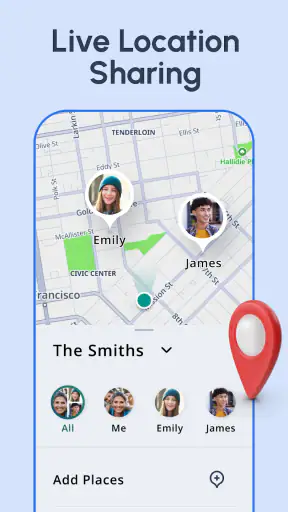
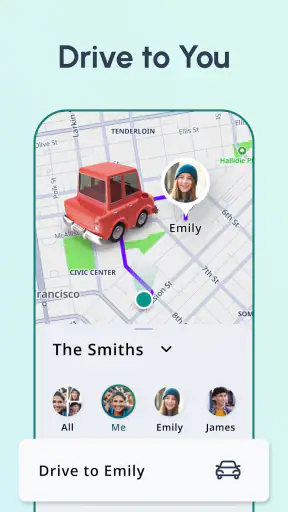

I approached Scout: Family Location 360 as a practical parenting app rather than just another map with a family label attached. Its purpose is to help people keep track of family and friends, look back at location activity, receive alerts, and understand driving habits from one place. That combination makes it more useful for households that need a shared view of everyday movement than for someone who only wants occasional directions.
The app comes from Telenav, Inc., a developer with experience in navigation software. It is free to use, carries an Everyone age rating, and has been available since September 6, 2012. Its current reach is substantial, with more than five million installs, an average rating of 4.0 from roughly one hundred twenty thousand ratings, and about thirty-five thousand written reviews. Those figures suggest a well-established app, although they do not remove the need to think carefully about whether its location-focused approach fits your family.
How Scout Fits Into Everyday Family Life
The most useful way to think about Scout is as a shared awareness tool. Instead of asking several people to send separate messages about where they are, a family can use the app to keep location information, movement history, alerts, and driving insights together. I find that especially relevant in households where plans change frequently: children are moving between school and activities, parents are commuting, or relatives need to coordinate without a long chain of calls.
A realistic example is a weekday afternoon. One parent is still at work, a teenager is expected at practice, and another adult is responsible for pickup. With a family locator, the adults can check the relevant location view, review recent movement when needed, and use alerts to reduce repeated “Where are you?” messages. The value is not that the app replaces communication. It is that it can make routine coordination less dependent on everyone replying immediately.
The 360 locator idea is broader than a single person checking a map once. It is aimed at giving a household a more complete picture of connected people and their movements. That can be helpful when plans overlap, but it also means the app works best when everyone understands what is being shared and why. I would not introduce it as a secret monitoring tool. A clear family agreement is much more likely to make the feature useful and less likely to create distrust.
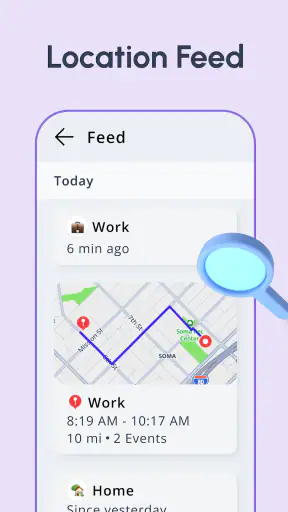
Location history is more useful than a one-time map check
A current location can answer a narrow question, but location history can help explain what happened earlier. If someone has not arrived when expected, looking at recent movement may provide more context than repeatedly refreshing a map. It can also help a parent notice patterns in a child’s routine, such as a regular stop after school or a change in the usual route.
That feature deserves restraint. History is most valuable when it answers a practical question, not when it encourages constant checking. I would use it to understand a missed pickup or confirm a routine, rather than treating every deviation as a problem. The app gives families more visibility, but good judgment still matters more than the amount of information on screen.
Alerts can reduce checking, but they need thoughtful setup
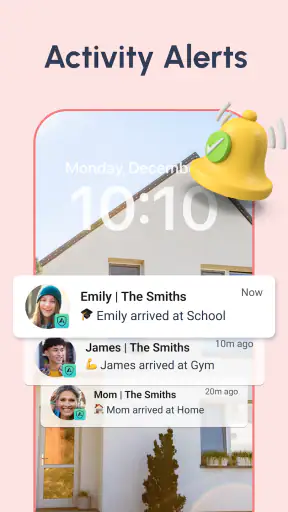
Alerts are potentially one of the strongest parts of the experience because they can shift the app from a passive map into a notification tool. Instead of opening Scout repeatedly, a parent can rely on an alert to signal a relevant change. That is particularly convenient during busy work hours or when a caregiver is handling several tasks at once.
The trade-off is attention. Too many alerts can become background noise, and an alert that is poorly chosen may create unnecessary worry. I recommend starting with the smallest set of notifications that solves a real problem. For example, use them around a recurring arrival or departure situation rather than trying to monitor every movement. This is a simple but important workflow difference: the app is easier to live with when alerts support a routine instead of becoming the routine.
Driving insights add a different kind of usefulness
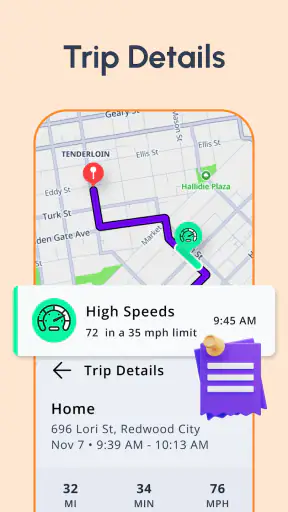
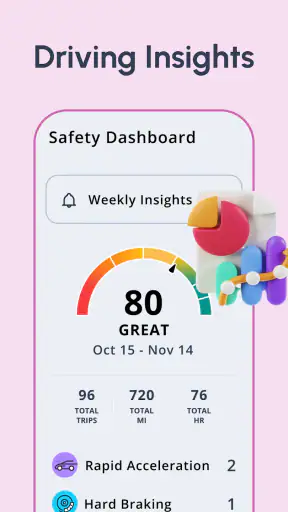
Scout is not limited to family whereabouts. Its driving insights make it relevant to households that want to discuss driving behavior as well. That can be useful for a parent and a new driver who need a calmer way to review habits after a trip. Rather than relying only on memory or an argument about how a journey felt, they have a dedicated part of the app for looking at driving-related information.
I see this as a conversation aid, not a substitute for driving instruction or professional safety guidance. The feature may be most effective when used periodically, with a focus on patterns and practical improvements. Opening it after every journey could feel intrusive, especially for older children or other adults who expect more independence. The best value comes from agreeing beforehand how the information will be used.
The free price changes the decision
Scout is a free app, so the initial value question is straightforward: there is no purchase price to justify before trying its core experience. That makes it easier for a family to test whether the locator, history, alerts, and driving insights fit its routines. A free starting point is particularly useful here because the app’s usefulness depends on household behavior, not just on whether the interface looks appealing in a store listing.
Free access should still be judged by practical value. An app can cost nothing and still demand too much attention, create confusion, or fail to suit a family’s privacy expectations. I would spend a short trial period deciding whether the alerts are genuinely helpful, whether location history is easy to interpret, and whether the people included in the family group are comfortable with the arrangement. If those answers are positive, the absence of a purchase cost makes Scout an easy app to keep available.
I would not treat the free price as a reason to install it for everyone automatically. Families that already coordinate successfully through another trusted service may gain little from adding another location system. In that case, the cost is not money; it is another app to maintain, another notification stream to manage, and another place where location information is viewed.
Where Scout is stronger than ordinary messaging
Messaging apps are flexible, familiar, and often already installed, but they depend on people remembering to send updates. Scout’s advantage is that it organizes family location information around the household rather than around individual messages. That can make recurring coordination less repetitive, especially when a parent needs a quick overview instead of a conversation.
A shared calendar can handle scheduled events, but it cannot by itself explain whether someone has actually left, arrived, or followed the expected pattern. A standard map app can help with navigation, but it is not necessarily designed around family visibility, alerts, and driving insights. Scout sits between those tools: it is less about finding a route to an unfamiliar place and more about understanding the movement of people you already know.
There is also a trade-off compared with simpler alternatives. A text message is easy to understand and gives the sender control over exactly what is shared. Scout can reduce manual updates, but it asks the family to accept a more continuous location-centered workflow. For some households, that is a meaningful improvement. For others, a message such as “I arrived” may feel more respectful and perfectly adequate.
Small habits that make the app more practical
My first recommendation is to define the purpose of each person’s inclusion before setting up a family view. A child who needs pickup coordination, a partner who commutes, and an older relative may all need different kinds of attention. Treating everyone identically can lead to unnecessary checks and alerts. A clear role-based approach keeps the app focused on useful situations.
My second recommendation is to use location history for review rather than surveillance. If a route looks different, ask what changed before drawing conclusions. Traffic, errands, school activities, and spontaneous plans can all explain a deviation. This habit protects the relationship while still preserving the practical benefit of historical information.
Third, use driving insights as a scheduled discussion point. A short review at an agreed time is less disruptive than turning every trip into a performance report. This is especially important when the app is used with teenagers: the feature can encourage safer conversations, but it can also feel like a loss of trust if the rules are unclear.
Finally, review notifications after the first few days. Keep the alerts that prevent genuine uncertainty and remove those that merely invite curiosity. This adjustment is easy to overlook, yet it can determine whether Scout feels like a calm family assistant or a source of constant interruptions.
Limitations I would consider before relying on it
The central limitation is that location information can never replace direct communication in every situation. A map view may not explain why someone is delayed, whether they need help, or whether plans have changed. If a family treats the app as an automatic answer to every concern, it may create false confidence. I would keep normal check-in habits for important journeys and emergencies.
There is also a social limitation. Family location tools work only when the people involved accept the arrangement. A parent may see clear benefits, while a teenager or partner may experience the same feature as intrusive. The app can support trust, but it cannot create trust. Before using it widely, discuss what will be checked, when alerts matter, and how long location history should influence a conversation.
Another point is focus. Scout combines several related functions, which is useful for a household seeking one place for location and driving information. However, someone who wants only a minimalist locator may find the wider feature set unnecessary. Likewise, someone primarily looking for navigation may be better served by a navigation-first app. Scout makes more sense when the family perspective is the reason for installing it.
The rating of 4.0 reflects a generally positive reception with room for mixed experiences. That feels consistent with the app’s purpose: usefulness depends heavily on device habits, family expectations, and how carefully alerts are managed. I would not judge it solely by the average rating. I would judge whether its particular combination of shared location, history, alerts, and driving insights solves a problem your household actually has.
Who is most likely to get real value?
Scout is a strong candidate for parents coordinating children across school, activities, and pickups. It can also suit couples or extended families who regularly need to know whether someone is on the way without sending repeated messages. Caregivers may appreciate having location context and alerts together, particularly when several people share responsibility for one person’s routine.
It is also a sensible option for families introducing a young driver to more independent travel. The driving insights can give adults a structured way to discuss journeys, while the location tools help with basic coordination. I would still use it alongside clear expectations about privacy and responsibility, rather than presenting it as a permanent substitute for independence.
Scout is less suitable for someone who dislikes location sharing in principle, wants a very private one-to-one arrangement, or already has a family workflow that works without friction. It may also be the wrong choice if you need a specialized emergency service, detailed navigation tools, or a simple messaging experience with no location history. In those cases, a different category of app may match the need better.
My verdict on trying Scout
I would recommend trying Scout to a family that wants one free place for shared location awareness, historical context, alerts, and driving-related discussions. Its strongest value is not a single dramatic feature. It is the way those functions can reduce everyday coordination work when the household agrees on sensible boundaries.
I would skip it if the main motivation is to watch people constantly, because that approach is likely to create more tension than convenience. I would also skip it when an existing family tool already handles check-ins and location sharing comfortably. Adding Scout makes sense when the current arrangement leaves genuine gaps, especially around missed updates, recurring pickups, or conversations about driving.
Overall, I see Scout as a practical parenting app with broader family uses, not as a replacement for judgment or communication. Its free access lowers the barrier to testing it, and its established presence makes it a credible option for households exploring this kind of tool. Install it with a specific routine in mind, keep the alerts selective, and agree on how history and driving insights will be used. Under those conditions, Scout can turn location sharing into useful coordination rather than constant supervision.


